Thursday, 3 January 2013

HTML 5 basic tutorials part 2


Before going further.we must understand.

 what is TAG

Tag is the code that is written in the less-than-sigh and Greater then sign.
<CodeName> this is example of Tag..
There are two type of tag
    1.   opening tag
This tag are just have less than and greater sign with the code name.
E.g.:- Opening Tag
<HTML> This is a html opening tag…
    2. Closing tag
In this tag the slash ( / ) is the used to close the tag in the less than and greater than sign.
E.g.:- Closing tag
   </HTML> This is a closing tag with a slash in front of </Codename >

In the top of our code we have the Doctype

<!DOCTYPE> Declaration

The doctype help the browser to render the code in to the page…the browser find the all the given tag in the website and render the page if the is any error in tag the page render unwired …..

Some of the early doctypes

 LATEST HTML 5

<!DOCTYPE html>

XHTML 1.0

<!DOCTYPE html PUBLIC "-//W3C//DTD XHTML 1.0 Transitional//EN"
"http://www.w3.org/TR/xhtml1/DTD/xhtml1-transitional.dtd">


HTML 4.01

<!DOCTYPE HTML PUBLIC "-//W3C//DTD HTML 4.01 Transitional//EN"

"http://www.w3.org/TR/html4/loose.dtd">


if you have any doubt .comment it out...


Read More...

Wednesday, 2 January 2013

Install Ubuntu from Pen drive part 1

    Hi all i m Vishnu Sharma and in this article we are going to learn how ton install Ubuntu from pen derive .

Note:- the installing process is explain instep-by-step.if any time u face any problem help to comment out your problem.
step 1:- 
we need the ISO copy of the Ubuntu download the ISO copy from the Ubuntu site or link the below link
step 2:-
now we have to download the pendrivelinux installer .the download link is below
after download .open the download file and you see this blow windows ( eg:-image)


accept the licence agreement...

then we move to the next setup windows there you u have to set the pen drive same setting that i have setllet in the below image...


A windows will pop-up and click Yes...


wait for 3-5 min for extracting the file in the pen drive


after extract the installing process in pendrive come to end


click No


Step 3:-
restart your computer and you see the installing boot section of the Ubuntu 12.10.we have some option 
we can try the Ubuntu without installing it.

Now we have to install the scroll down and hit enter..


you see a welcome black screen...


Ubuntu 12.10 loading screen is start loading the bios file and system file


once the loading completed we see the welcome screen and we have two option
1.first one is we can try the Ubuntu without installing it
2.the second one is the installing on PC.


it start prepare for installing and check for the requirement
Ubuntu required least 4 GB hard-disc space and 128 min ram


Now we have to erase the disk for fresh installing


it start formatting the disc and installing on disc


once the formatting completed


selected you keyboard...


it start copy the file in to computer....


now we have to make a account on Ubuntu 12.10


set the location were you live...


after completed installing.the system restart and we see the login screen


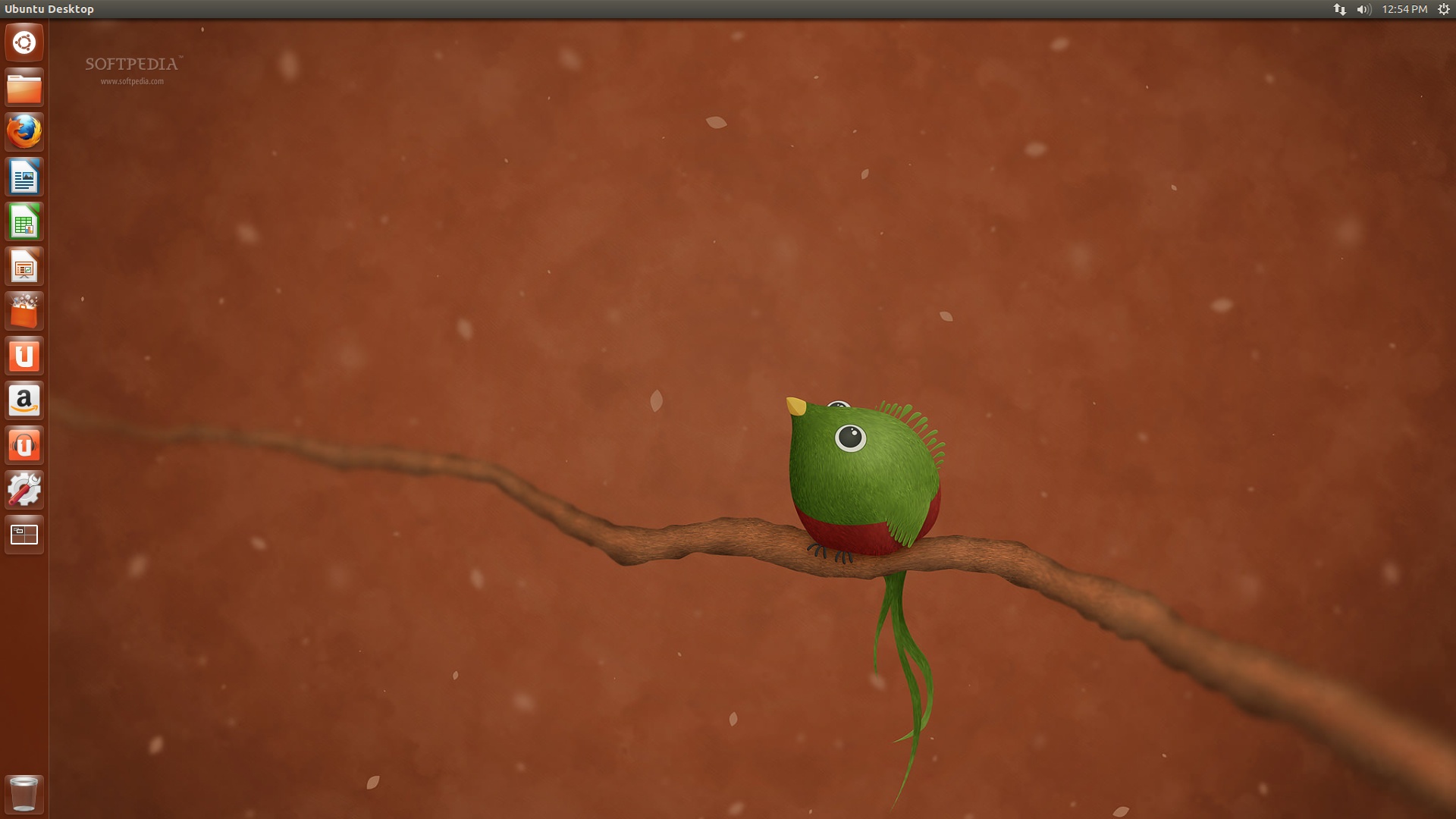
the Ubuntu Desktop  is slow below


we have successively install the Ubuntu in our computer ... if you have any Doubt comment it out...in the comment section below...


Read More...

Sunday, 30 December 2012

Introduction Abode Dreamweaver CS6


Hi all i m Vishnu Sharma and this is a introduction Abode Dreamweaver CS6.


Website developers are growing day by day and idea of designing new and interesting website also grown. so, using a simple text editor the developer or new developer can’t make the awesome and eye touching website for their own or for any company .so to solve this problem or overcome this problem the adobe company designing the Adobe Dreamweaver CS6.

What is Dreamweaver:-

Dreamweaver is an Adobe product which is use for creating website for computer, mobile, table… website evolves every year and number of web developer also growing every year, growing in scope and complexity. And the every new developer builds their own website for their companies or personal use... Example for blogging on any topic there are interested in.Many ask what Dreamweaver is.Dreamweaver is a web authoring tool which means Dreamweaver is a tool which is used to create friendly interface for creating website and web pages that can be view in verity of different web browser .Dreamweaver provide a machines by which you can add text , image ,video link , color , and many more…Dreamweaver is WYSIWYG editor what you see is what you get.
You can download the trail version of the Adobe Dreamweaver CS6 from the below link


 or you can download the paid version from the Adobe website...  


History:-

The first version of the Dreamweaver was 1.0 which was release on December 1997.with provider name Macromedia


Throughout the history of the Dreamweaver the interface and managed to keep pace with the changing web-development landscape, whether you want to use CSS(cascading style sheets) for cutting edge designing, dip into the world of PHP, XHTML,JavaScript , HTML 5,CSS3.. For building website for mobile, computer, tablet… Dreamweaver is a total package for web developer and designer.
Using the Dreamweaver CS6 speed of making website become fast and using the Dreamweaver managing the website file become so easy to manage.

What is New in Dreamweaver CS6?

The new feature in the Dreamweaver CS6 is the new html version and the new CSS version. Both HTML 5 and CSS6 feature are add to the Dreamweaver CS6 .Mobile web designing using Jquery mobile is integrated in the adobe Dreamweaver cs6 .Using the new Dreamweaver CS6 we can make mobile apps for the Iphone ,IPod android ,tablet, and other mobile devices..

In the next article we are going to install the Dreamweaver CS6 in the Windows 7(The process is same for windows XP,7,8)...
thank for reading the article please give a comment if u like the article or if you have any doubt ...
Read More...

Friday, 28 December 2012

Introduction to Flash CS6


      Hi all this is Vishnu Sharma and this is introduction to Adobe flash CS6.

So,
What is Flash:-

Flash is the product of the Adobe Company that develops  rich content software for web has well as for the desktop and mobile. Flash was designing for animation and it is adopted by waste number of people .over time it capability developed and now it is all over.And in this series of article we are going from the basic to advance tutorials so, stay connect with us.
Flash reach on desktop anonymously for instant for most website used Flash for content delivery...flash is everywhere. Some of the example is
YouTube, new yoke times… and many more…

Use of Flash CS6

The flash CS6 is used for making website, animation clips, flash game, flash video, mobile game and many more interesting things...

Flash Authoring tool:-

You can download the trail version of flash CS6 or paid license from the Adobe website the link is available below

in the first 10 article i go through the basic of Flash cs6 and Action script.so
newcomer  can start from scratch to the advance tutorials.so stay tune ...  The installing step-by-step process is example in the future article …

The flash CS6 interface is show below.


In the Advance article your going to learn:-
    1. How to make a simple game using Flash CS6.
    2. How to make simple Flash website.
    3. How to make a banner using Flash
    4. How to make video clip
    5.  How to make animation video.
and many more...

Thank you for reading the article... hope you like my article .if you need any Help happy  to post a comment …if you have any doubt about flash CS6 email me... 


Read More...

History of Ubuntu releases part 3

History of Ubuntu :-

The version of Ubuntu release every 6 mouth with code and new kernel for both the PC and the server ..


Ubuntu 4.10:-

the first version of the Ubuntu was the whither code name (animal name)= warty warthog . release on October 20 2004 for PC .and April 30 2006 for server .which have the 2.6.8 kernel version


Ubuntu 5.04:-


the second version of the Ubuntu was the whither code name (animal name)= Hoary Hedgehog . release on April 8 2005 for PC .and October 13 2006 for server .which have the 2.6.10 kernel version


Ubuntu 5.10:-


the first version of the Ubuntu was the whither code name (animal name)=Breezy Badger. release on October 13 2005 for PC .and April 13 2006 for server .which have the 2.6.12 kernel version

Ubuntu 6.06 LTS:


this fourth version of the Ubuntu was the 6.06 LTS (long term support) with code name (animal name)= Dapper Drake . release on June 1 2006 for PC.and 14 july 2009 for server .which have the 2.6.15 kernel version

Ubuntu 6.10:-

This is  version of the Ubuntu was the 5. whither code name (animal name)= Edgy Eft . release on October 26 2006 for Pc .and April 28 2008 for server .which have the 2.6.17 kernel version


Ubuntu 7.04:-

This version of the Ubuntu was the  6 whither code name (animal name)= Feisty Fawn . release on April 19 2007 for PC .and October 19 2008 for server .which have the 2.6.20 kernel version


Ubuntu 7.10:-


This version of the Ubuntu was the whither code name (animal name)= warty warthog . release on October 18 2007 for PC .and April 18 2009 for server .which have the 2.6.22 kernel version


and now

Ubuntu 12.10:-

This version of the Ubuntu was the 17 . whither code name (animal name)= Quantal Quetzal . release on October 18 2012 for PC .and April 2014 for server .which have the 3.5 kernel version


thank you for reading the article please comment and subscribe my blog for more interesting article....


Read More...

Thursday, 27 December 2012

What is Ubuntu part 2


Before we get started with installation Ubuntu on our computer... first we have to do some home work .
that is  philosophy and key concepts behind the Ubuntu operating system.

 What Is Ubuntu?

Ubuntu, pronounced "oŏ’ boŏn  toō, " is actually three different things:
  1.  philosophy
  2. worldwide collaborative software project, and
  3. computer operating system

Ubuntu is not more than operation system .it is more than a operation system because  most of the server and computer in the world have installed Ubuntu on there machine.Because it is secure , free , easy to learn..

 Ubuntu Philosophy ?

            Ubuntu is an ancient African word meaning ‘humanity to others’. It also means ‘I am what I am because of who we all are’.It is this South African philosophy that sets Ubuntu apart from other operating systems because it brings the spirit of humanity and community to the world of computers. Ubuntu users share a deeply held belief that software should be freely accessible to everyone regardless of language, disability, or income.

paid Software vs Free/Libra Open-Source Software :-

         Proprietary software is designed, developed and marketed by a company as their own system. It is sold for profit and functions on only one type of computer. Examples of proprietary operating systems include Microsoft Windows and Mac OS X. The source code of these systems is not freely available and if you tried to modify or distribute it would constitute a felony. Ubuntu, on the other hand, is NOT proprietary software because it is actively maintained by the FLOSS community.

What Is FLOSS?


               FLOSS is not the thin, waxy filament that you run through teeth, nor is it the pink cotton candy that you buy at state fairs.FLOSS is the acronym for Free/Libra Open-Source Software. FLOSS software is different from proprietary or commercial software because it is:
  1.  FREE to use
  2.  FREE to share, and
  3.  FREE to develop
  4. secure
  5. easy understand
This means you can download and use Ubuntu without paying money. You can then make copies of the software and
distribute it to as many people as you want. Finally, the source code of Ubuntu’s operating system is freely available, so
you can inspect the program and make changes to suit your own needs.
This freedom is made possible because Ubuntu uses the GNU General Public License (or simply GPL)
this is much info for you..if you want any kind of help please post your question suggestion in the comment box below ...i help you has much possible ...


Read More...

Introduction to Ubuntu 12.10


Hi my name is Vishnu Sharma andthis article is an introduction to Ubuntu


Introduction:-

Ubuntu is a free open source operation system (software package) with more than 30 million users worldwide and going on increasing ….it is ethos, a collaborative project and first and foremost ….U can download and install Ubuntu on any machine u want. it may be windows or mac OS X. if you don't install the Ubuntu in our computer don't worry in the future article I go through how to install the Ubuntu 12.10
On our computer.Us can install the Ubuntu in dual boot mode .That mean u can run two operation system on the same computer just by allocating the repartee space to Ubuntu 12.10 and your already installed OSIf you are new to Ubuntu and want to learn it. This is great place to start … I go through all the basic of the Ubuntu from install to kernel of the Ubuntu… everything…


Migrating to a new operating system can be daunting, especially when faced with unfamiliar words like ‘FLOSS’, ‘command line interface’ and ‘kernel’. Many people are intimidated by the technical jargon of a non-commercial operating system and believe it’s too advanced for them. Well this not true because Ubuntu is easy to understand …

Ubuntu has 12 official variants, called flavors, as follows:

  1.  Ubuntu
  2.  Ubuntu Server
  3.  Ubuntu Cloud
  4.  Ubuntu Netboot
  5.  Ubuntu Core
  6.  Kubuntu Desktop
  7.  Kubuntu Mobile
  8.  Xubuntu Desktop
  9.  EdUbuntu
  10.  Mythbuntu
  11.  Ubuntu Studio
  12.  Lubuntu

So ,in upcoming article we are going through the basic of the Ubuntu.the basic index of upcoming article.show below

       1. Introduction to Ubuntu 12.10
       2. What is Ubuntu
       3  History of Ubuntu
       4.Installing  Ubuntu 12.10
       5. Interface & new feature
       6. Finding technical help and support
       7. Navigating the unity desktop
       8. Understand the Ubuntu philosophy
       9. Ubuntu compatible software
     10. How to install update
     11. How to install new software
     12. Install driver
   the list go on ....

Read More...